In dit document
Share one queue between several people
When several people work the same station at once, turn on Let staff claim tickets for that station. Everyone sees the same new tickets, each person takes the ones they will make, and each screen can show just that person's own work.
How it works at a bar
Take a busy bar with three bartenders. Each one has their own phone running the bar display (BDS) on the Bar station, and each signs in on it with their own PIN. All three phones show the same NEW tickets.
- A bartender takes a new ticket: with the amber arrow if the station has quick actions on, or with → if it does not. The ticket moves to IN PROGRESS and is now claimed by that bartender.
- They make the drinks and tap → again to move it to READY. The claim stays with them.
- If they took it by mistake, they tap ← on it in IN PROGRESS. The ticket goes back to NEW, unclaimed, for anyone to take.
The first person to take a ticket gets it. There is no separate claim button. Moving a ticket back into IN PROGRESS claims it too, so tapping ← on a READY ticket claims it for whoever tapped. The other two quick actions (straight to ready, or done and cleared) claim an unclaimed ticket for whoever tapped, so a drink sent straight to READY stays on that bartender's Mine (see Send simple items straight out).
Mine and All
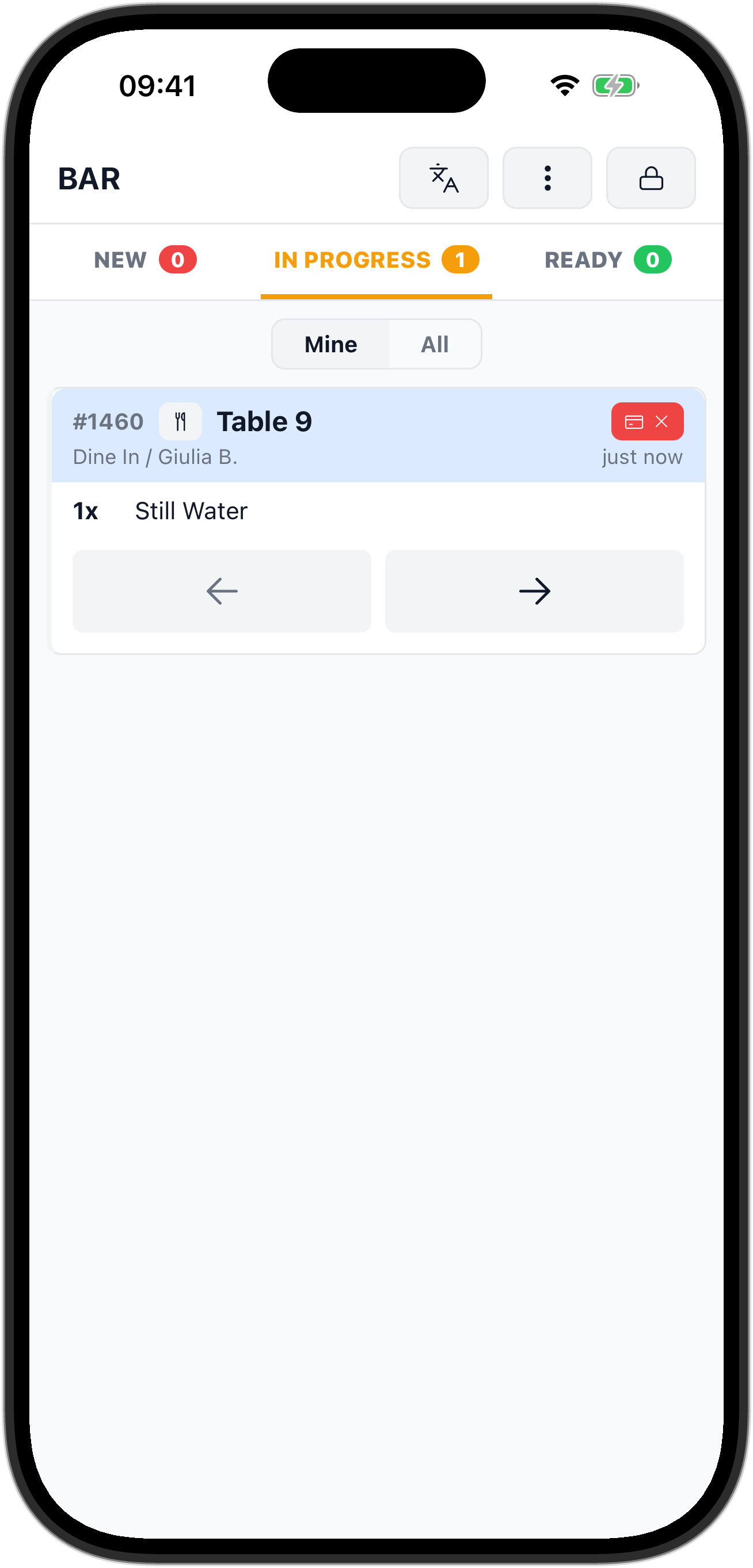
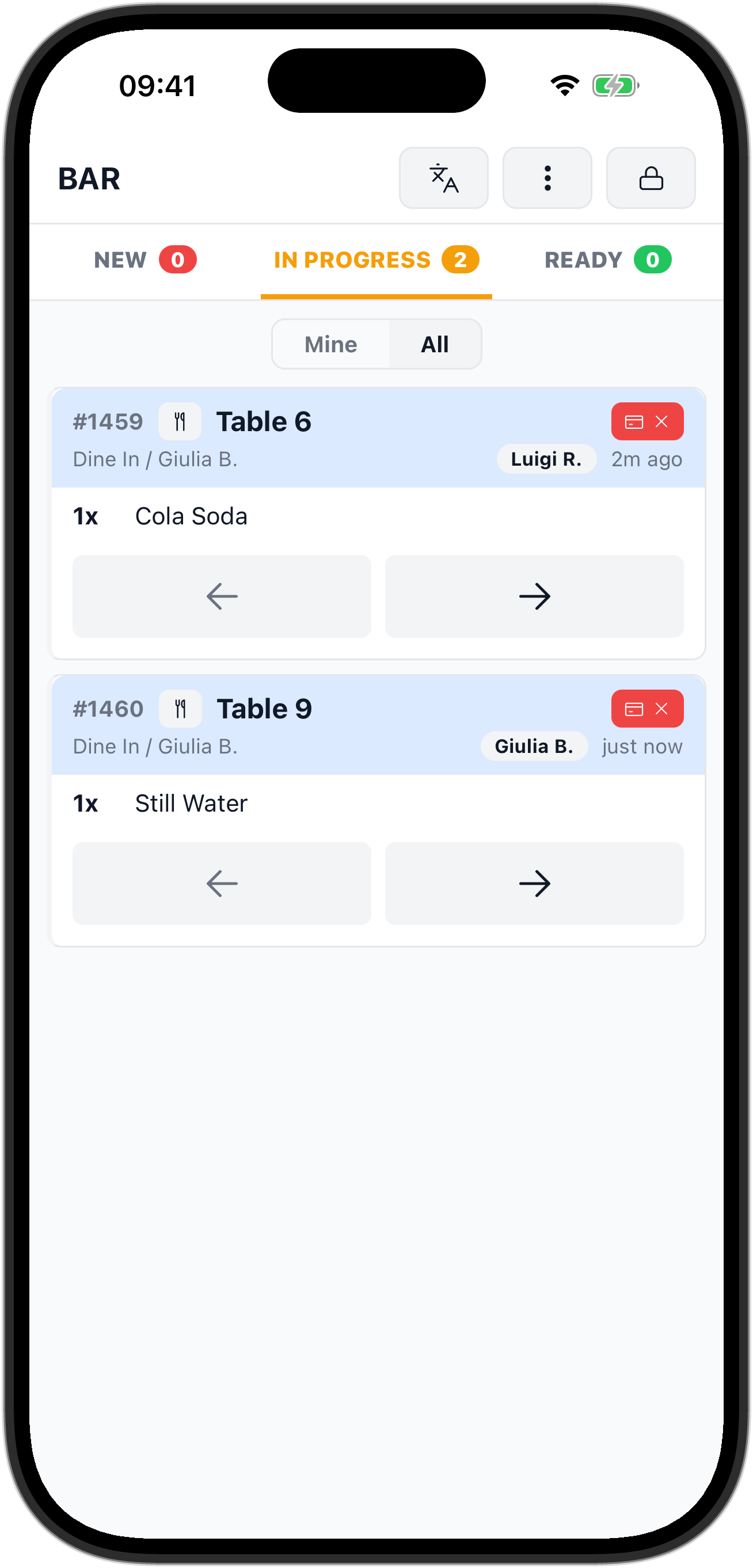
With claiming on, the board gets a Mine / All switch. On a tablet it sits in the header; on a phone it has its own row under the NEW, IN PROGRESS and READY tabs.
- Mine shows every NEW ticket, plus only the tickets you claimed in IN PROGRESS and READY.
- All shows every ticket on the station. Each claimed ticket carries a small tag with the name of the person who claimed it: first name and last initial, such as "Giulia B.".
A phone starts in Mine and a tablet starts in All. Switch whenever you like: a bar lead on a tablet can watch everyone's work in All, while each bartender keeps their phone on Mine.
Who the claimer is
A ticket is claimed by whoever is signed in on the screen where → was tapped. So one screen belongs to one person at a time. When you hand a screen to someone else, tap the lock icon in the header to sign out, and let them sign in with their own PIN at Enter your PIN. Otherwise their tickets are claimed in your name.
Turn it on
Claiming is set per station in the back office. You need a back-office login; a staff PIN cannot change it.
- Go to Stations in the left-hand menu and open the station, for example Bar.
- In Station details, switch on Let staff claim tickets.
- Click Save.
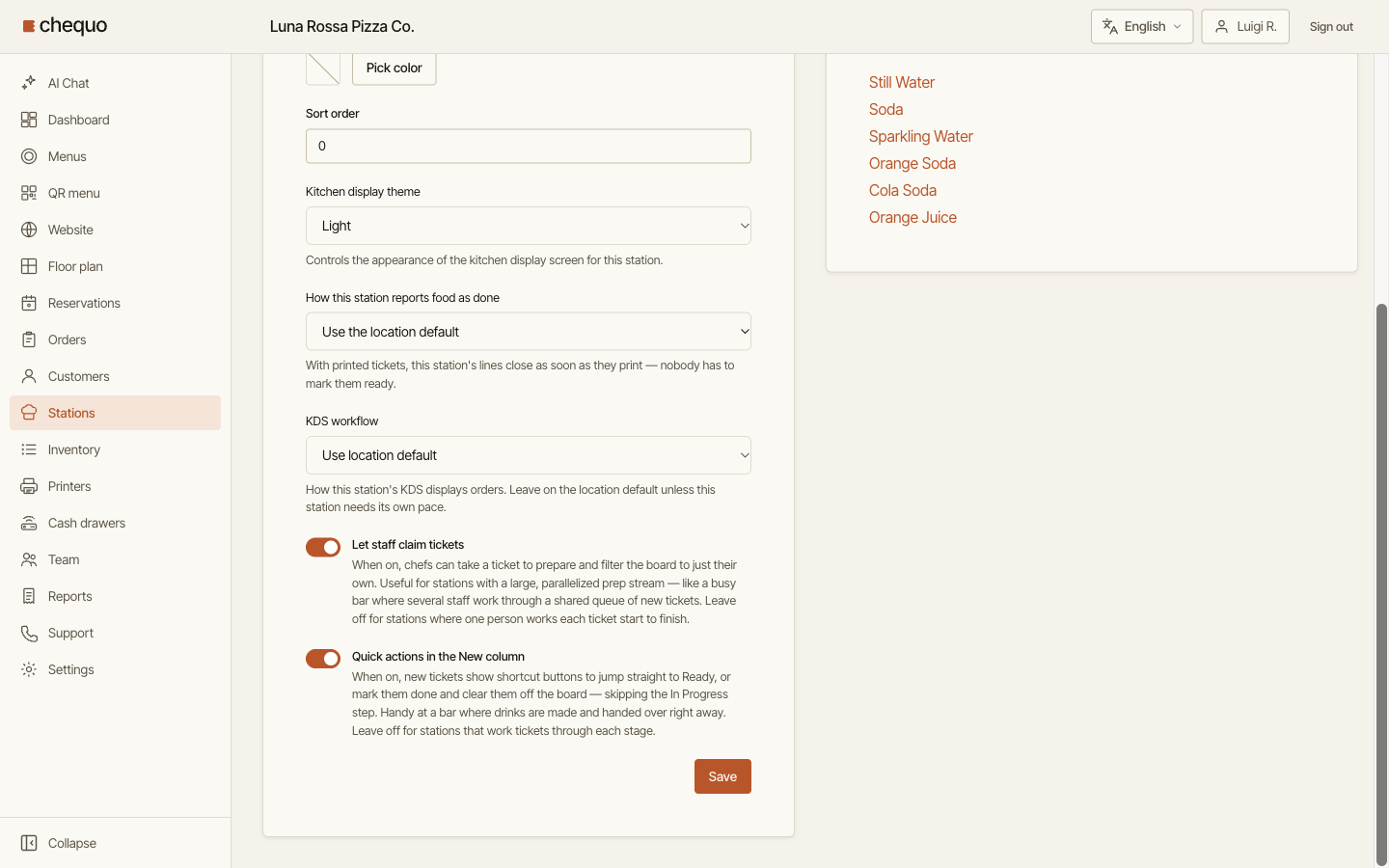
Screens on that station pick up the change within about 30 seconds, without signing out.
Limits
- The switch and the tags belong to a station. A screen set to All stations shows neither, but tickets started there are still claimed in the signed-in person's name, so they leave everyone else's Mine. Pick the station on the screen from the ⋮ menu under Stations (see Kitchen and bar displays).
- It works in the Whole order and Per-item tickets display modes. In Item fulfillment there are no columns, so there is nothing to claim (see Choose how tickets appear).
- Leave it off at a station where one person works each ticket from start to finish. Without it, everyone sees every ticket and there are no claimer tags.